

Views
A View is a diagram defined by a query over the Model. It is never a source of truth: it picks Elements and draws them, and the Model decides what they are and how they connect.
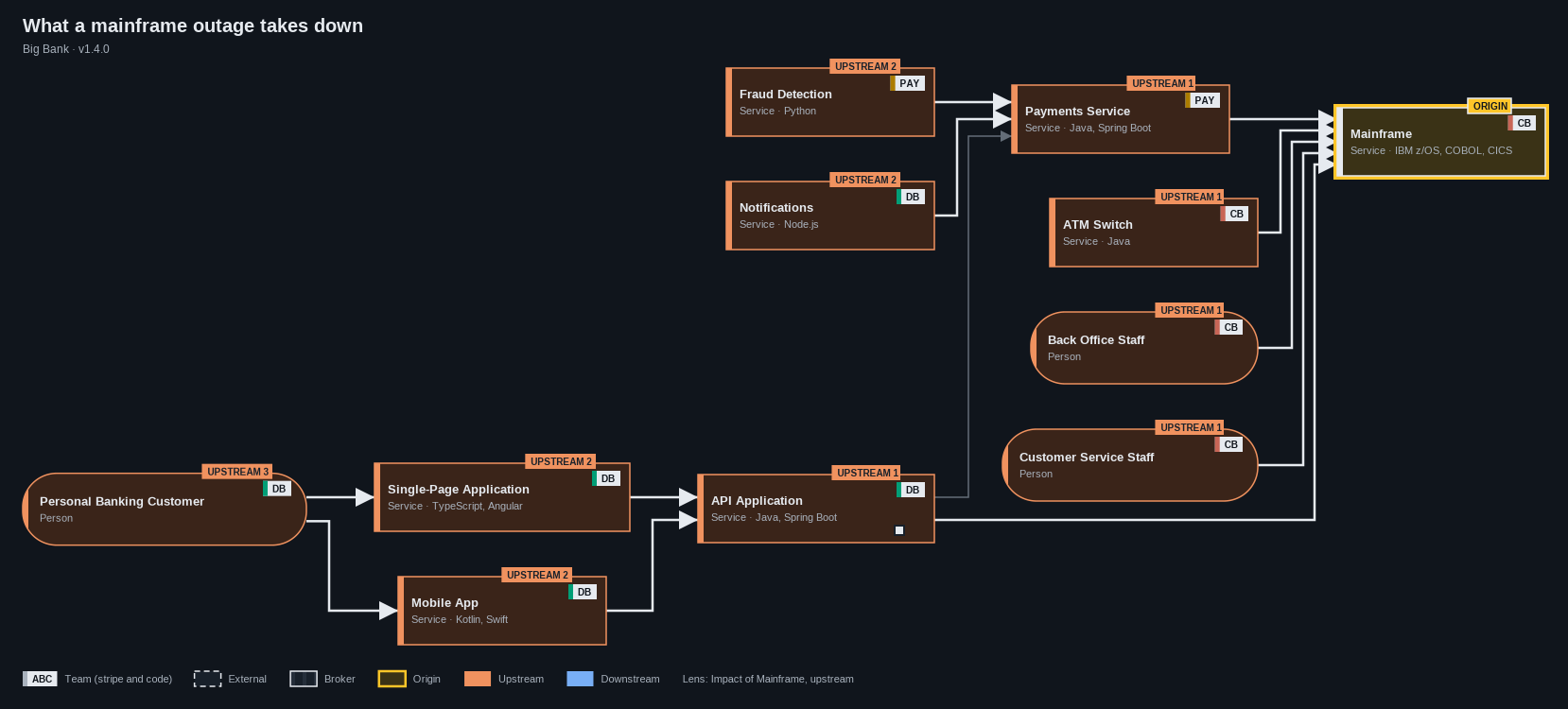
mainframe-outage: title: What a mainframe outage takes down description: Everything that depends on the mainframe, directly or not. level: c2 include: - element: core:mainframe upstream: all lens: impact: core:mainframe direction: upstream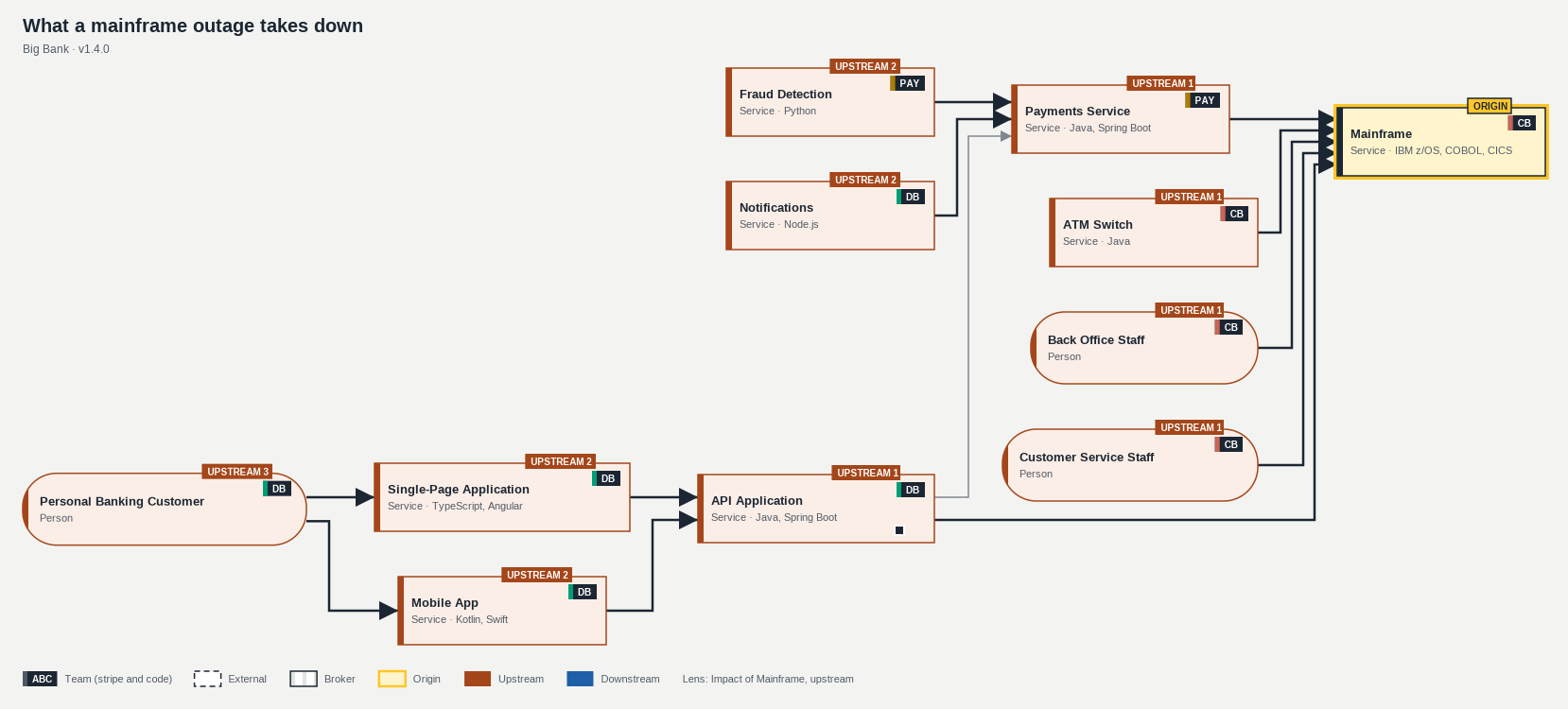
Generated Views
Section titled “Generated Views”A Generated View exists for every scope without anyone writing it:
| View id | Shows |
|---|---|
c1 |
The System landscape: every Person and System. |
c2 |
The Service landscape: every Service, grouped in its System. |
c2/<system> |
One System’s Services, with what they connect to. |
c3/<service> |
One Service’s Components, with what they connect to. |
deployment/<environment> |
Every Deployment in one Environment, on its Targets. |
They cover most questions. The viewer opens on c2.
Saved Views
Section titled “Saved Views”A Saved View is a View written into a Project’s files, for a question the Generated Views don’t answer at a glance. It has a Qualified id, such as digital:mainframe-outage.
A Saved View says which Elements to include, and the level to draw them at. It can pick Elements by id, by what is upstream or downstream of one, by Team, by tag, or by the paths between two. The Saved Views reference lists every selector.
The selectors keep working as the Model changes. A new Service that depends on the mainframe joins the View above without anyone editing it.
Lenses
Section titled “Lenses”A Lens highlights part of a View without changing which nodes it shows:
- Impact: what is upstream, downstream, or both, of one Element, each node marked with how many hops away it is.
- Team: what one Team owns.
- Path: the paths between two Elements.
The viewer turns Lenses on and off. A Saved View can open with one, as mainframe-outage opens with Impact.
Deployment Views
Section titled “Deployment Views”A Deployment View places Deployments on their Deployment Targets in one Environment. Each Environment has a Generated one, and a Saved View can narrow it to some Services or Targets. See Deployments.
Dynamic Views
Section titled “Dynamic Views”A Dynamic View shows one scenario, drawn as a sequence chart. It is an ordered list of Steps, each one interaction:
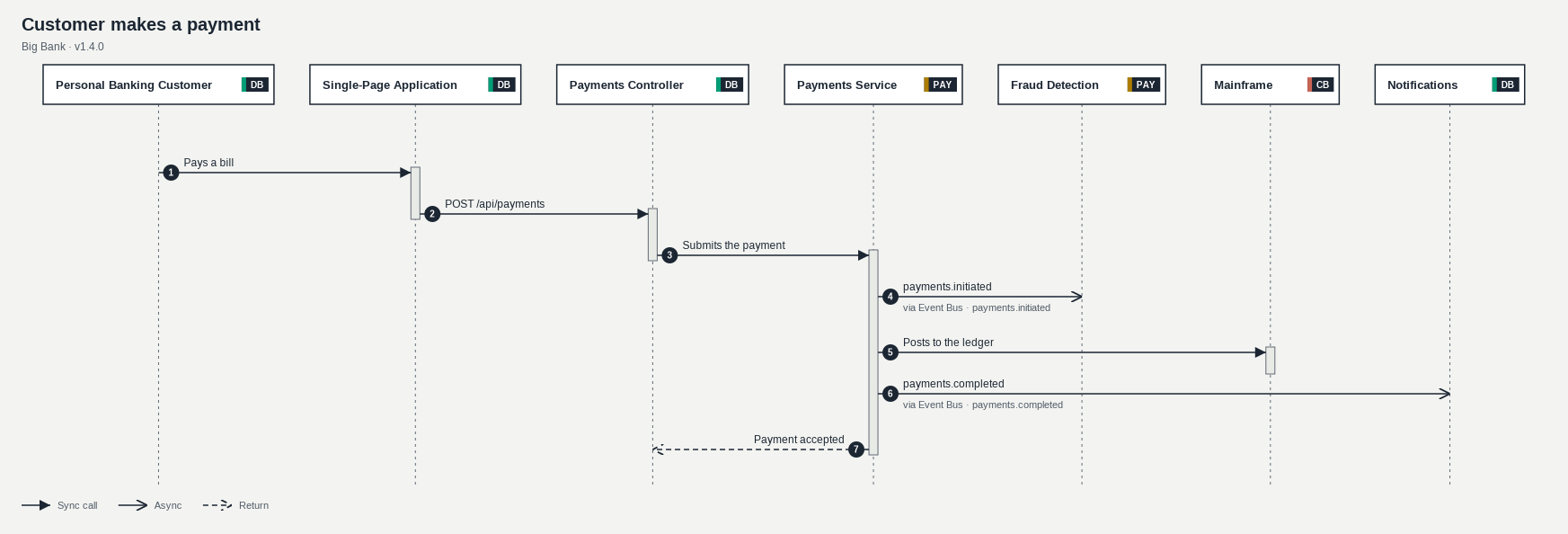
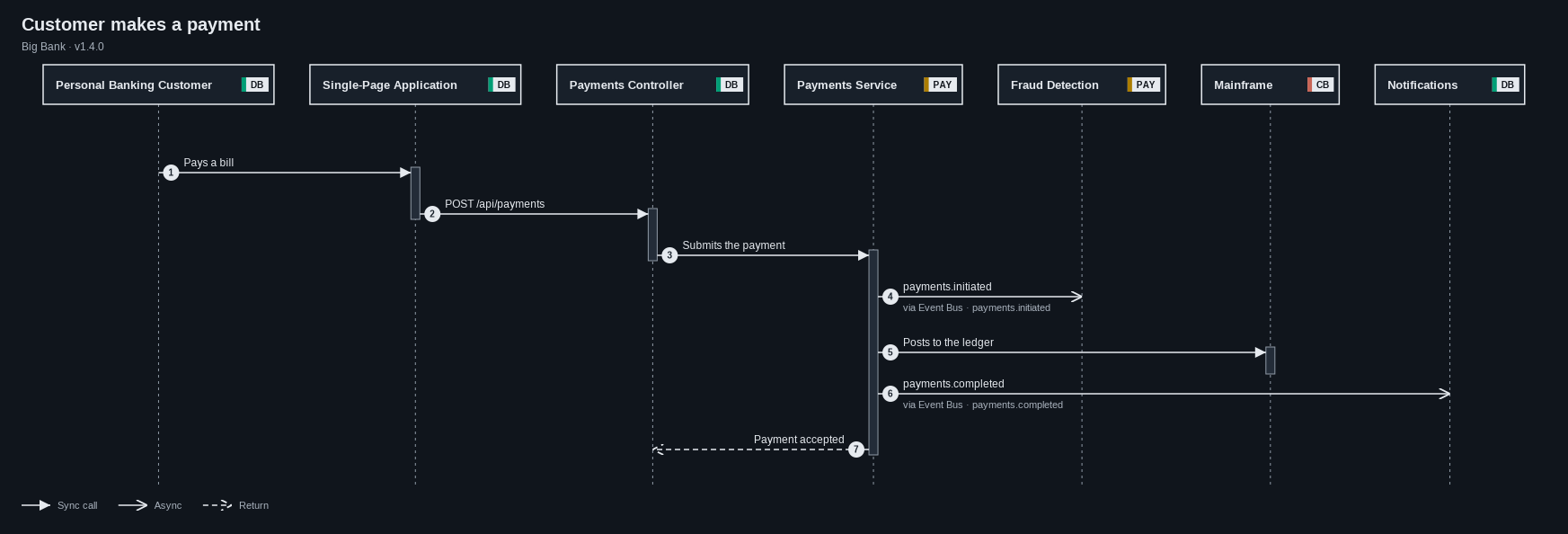
Each Step must follow a Relationship that exists in the Model. See Write a Dynamic View.
In the viewer, a Dynamic View opens with its Steps listed beside it, and follows the scenario one Step at a time. The viewer can also draw the Steps as a numbered graph, and show the broker that each event goes through.
Layout
Section titled “Layout”The Layout, where each node sits on the diagram, is computed every time a View is drawn. It is never stored. A View says only which way it runs: top to bottom, left to right, or the reverse of either.
Why it works this way
Section titled “Why it works this way”- A View is a query, so it can’t go stale. It never stores the Elements it shows. When the Model changes, every View that the change touches redraws, and a new Service joins every View whose selectors pick it.
- Layout is never stored, so it can’t carry meaning. If positions were saved, a box’s place could start to mean something the Model doesn’t say, and every Model change would leave old positions to fix. Computing the Layout keeps the Model the only truth. It also keeps View files free of coordinates, so they diff cleanly in a pull request.
- Generated Views for every scope. Nobody has to write and maintain a diagram for each System and Service. A Saved View is only for a question worth naming.
- Steps follow Relationships. A scenario can’t show a call the architecture doesn’t have. If a Relationship is removed,
archidocs checkreports every Step that used it.
Related
Section titled “Related”Documents the beta branch at cd98671, ahead of the latest release, v1.4.0.